
Hardwood Basketball Manager Update 1.5 - A New Interface + Steam Deck
1.5 is live. The interface has been rebuilt across the game, every screen works with a controller, and the match has a new layout with a broadcast view. Every change and fix is in the 1.5 patch notes, posted beside this one.
A new interface
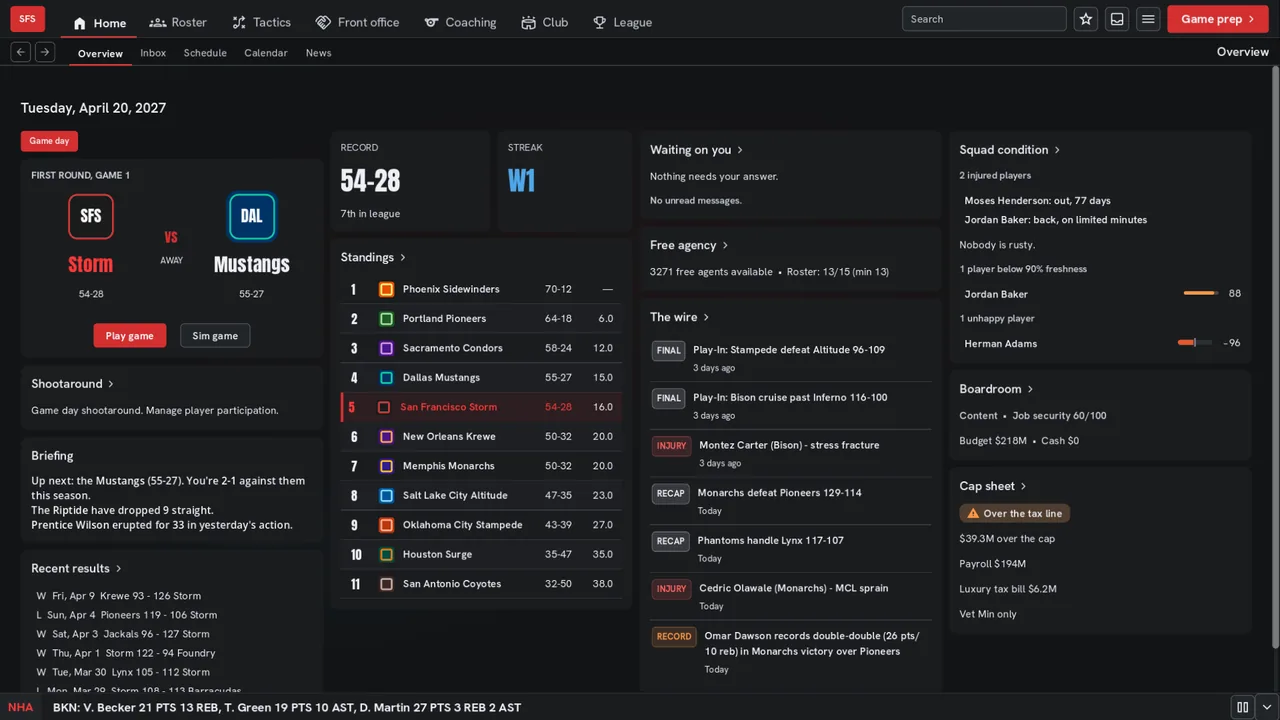
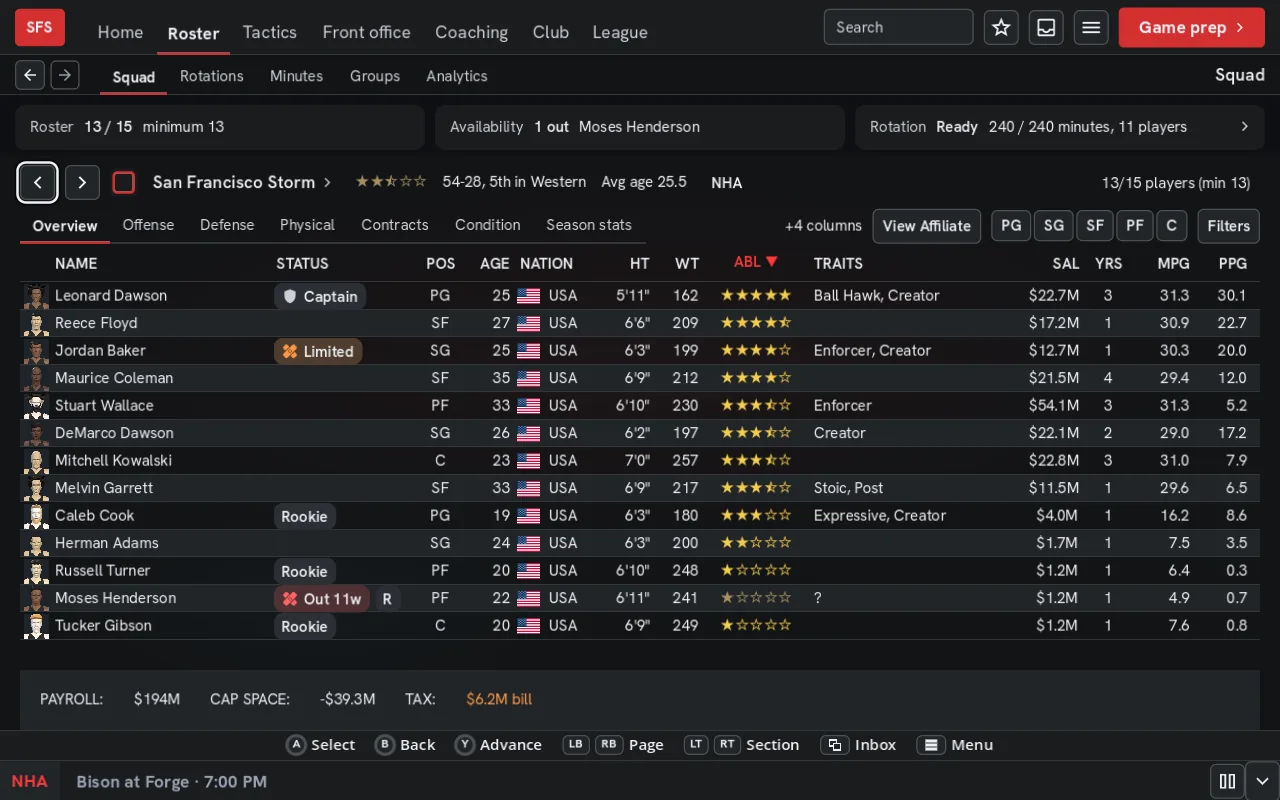
One navigation now sits above every screen. Seven sections run along the top from Home to League, with each section's pages as tabs beneath them. The page a section opens on shows what needs you today, such as a roster that is short or a proposal waiting on your answer.
Home is four columns: your next game, the table, your desk and your club. The inbox is a full page. Messages that need an answer come first and you answer them in place. Each message shows its subject as a card, so a result carries the score and the best players, and a trade shows what you send and what you receive.
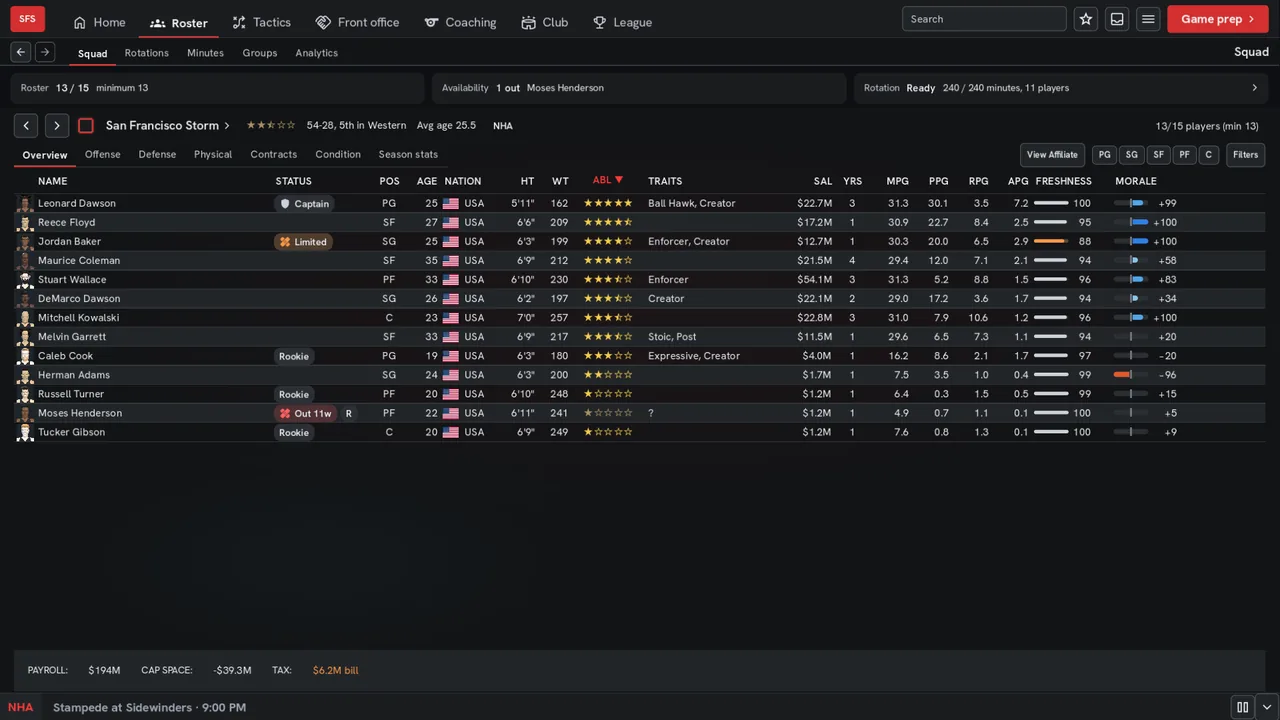
Tables put a face beside every player and a badge beside every club. On a narrow screen they give up their least important columns instead of scrolling sideways. The squad table has views for offense, defense, contracts, condition and more. A bigger screen shows more of the game rather than the same page drawn larger. Settings adds Text size and Table rows, and Customise lets you set shortcuts to pages and arrange Home's panels.
Players, clubs and the world
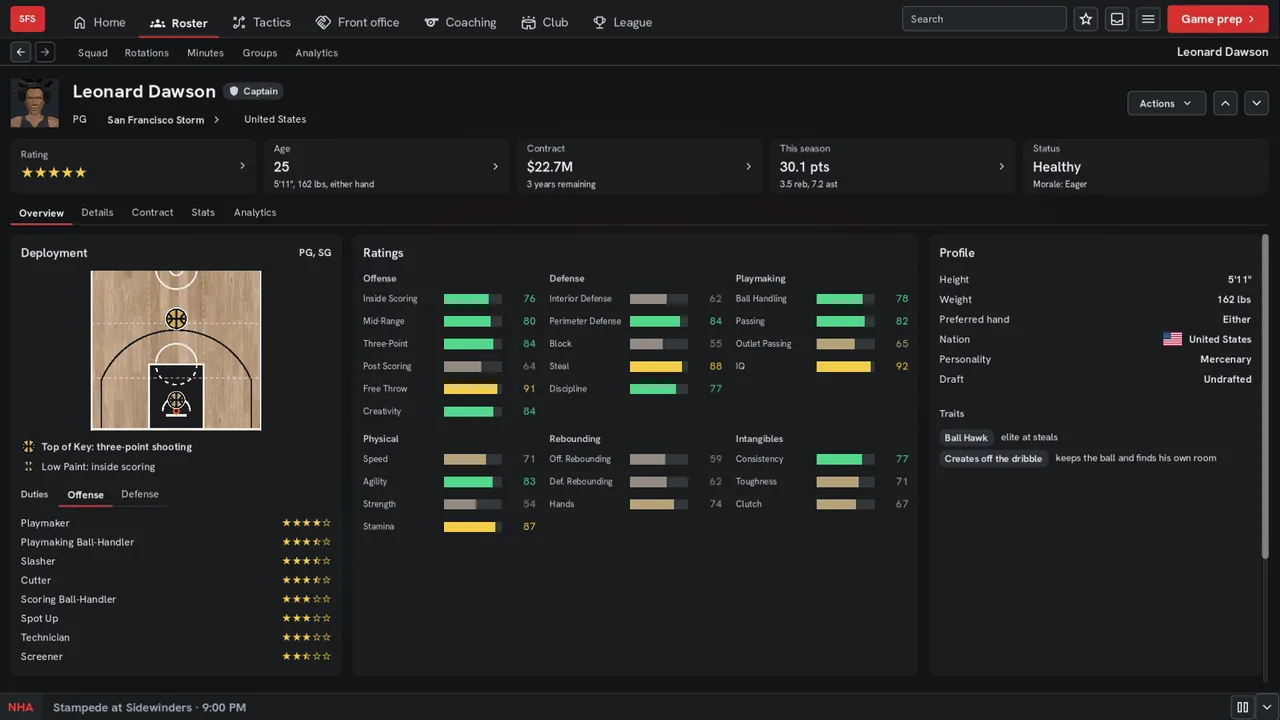
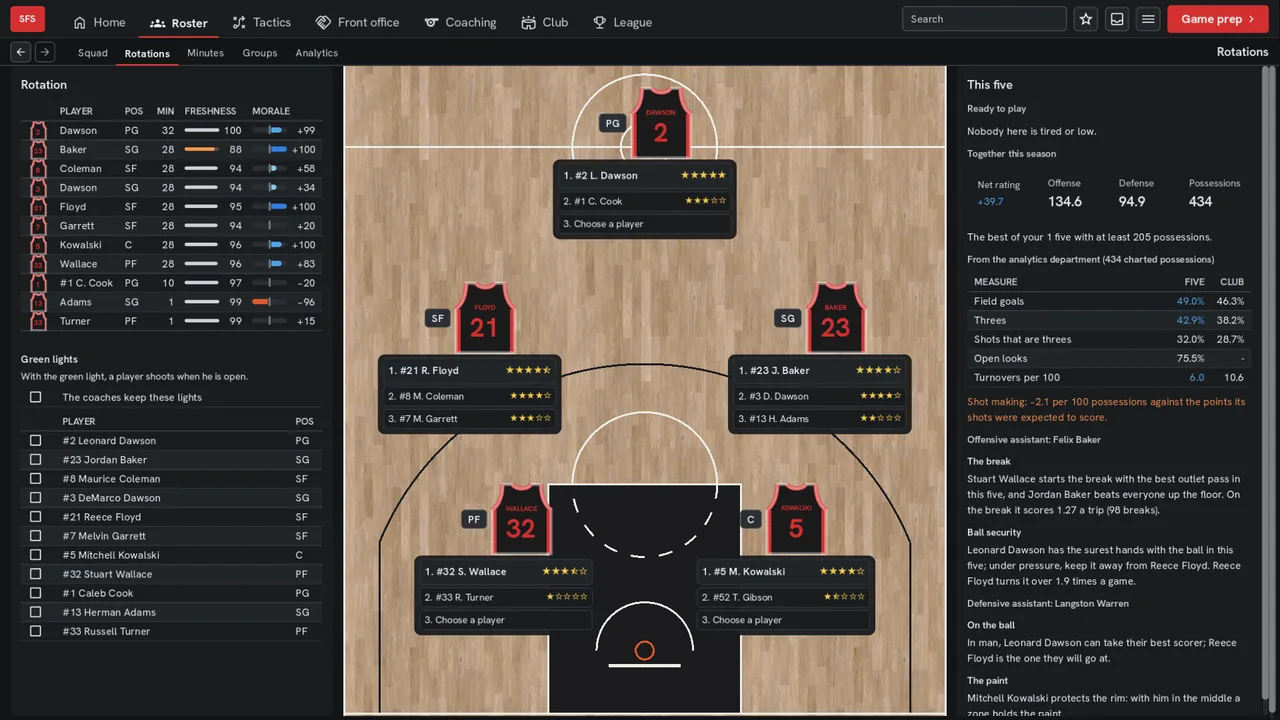
The player page opens on how he plays: a half court with a ball on each spot he scores from, the positions he can play, his ratings and four panels you choose. The Rotations page sets your depth chart on your club's own court, with each starter's shirt standing at his position. The Boardroom, Analytics and the post-game are rebuilt too. Before a game, the matchup page shows the two fives that will actually start.
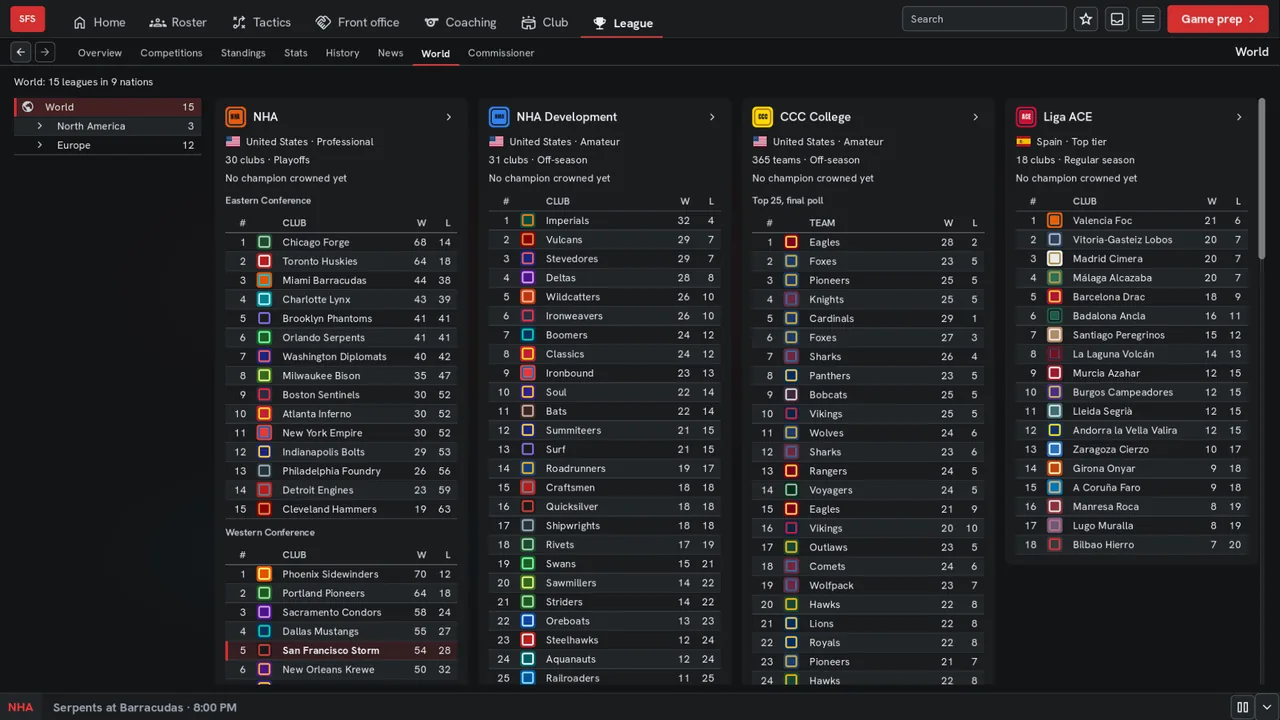
The News page has the leagues down the left and the lead story with picture cards in the middle. The World page lets you browse every continent, nation and league, each with its champion and its table. A new award, the top five, names each club's best lineup of the regular season.
Play with a controller
Pick up a controller and the game follows it, with nothing to turn on. A selects and B goes back. The bumpers move between pages and the triggers between sections. A bar along the bottom says what each button does, and the button pictures match the controller in your hands: Xbox, PlayStation, Switch or the Steam Deck. Any key or button can be changed on the Keys page. A text field brings up Steam's on-screen keyboard. On a screen as small as the Steam Deck's, text stays readable and long names shorten to fit.
The match
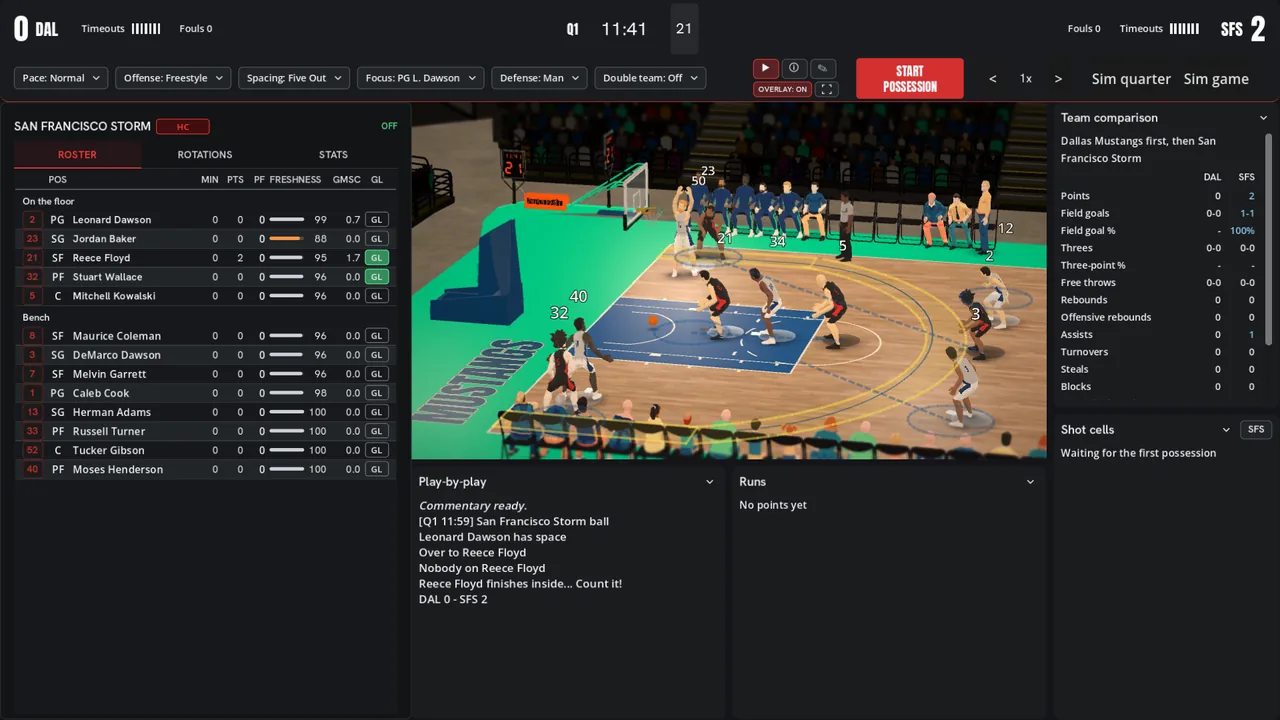
The match screen is built around the 3D court. The scorebug runs across the top with a control strip beneath it for pace, offense, focus, defense and the double team. Your bench is a column of rows with the five on the floor first, each with his minutes, points, fouls, freshness and a hot or cold hand. Up to four panels sit around the court. The choices run from the box score and team comparison to foul trouble and the standings as they would stand if the game ended now, and the panels change with the moment.
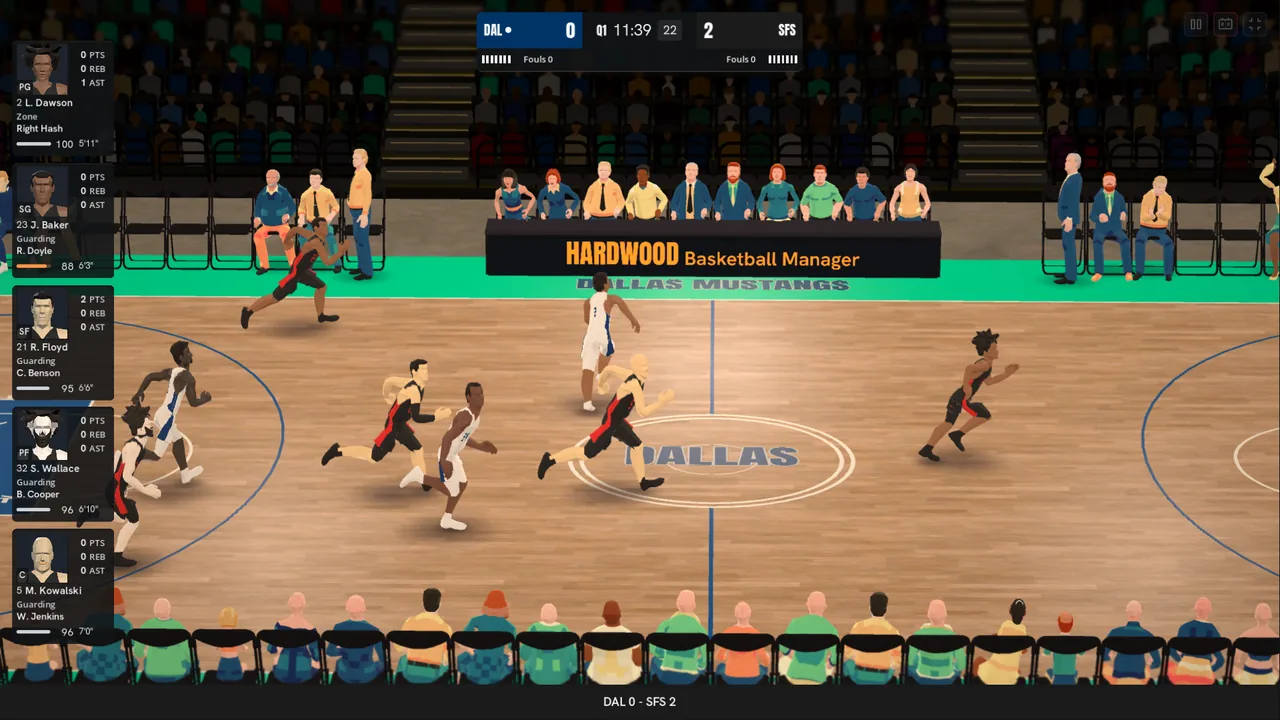
Full screen shows the court alone under a broadcast overlay: a compact scorebug, a card for each of your five with the man he is guarding, and the play-by-play one line at a time. Substitutions are a list. Press a player to see who can come in for him, and who cannot play tonight. Before an overtime tip the game stops so you can change your five.
New ways to play
Three new traits describe how a player plays: Excellent corner shooter, Creates off the dribble and Willing in the post. A creator can keep the ball and attack an open spot beside him instead of passing. A willing post player can take his man down from the high post. Every player now has a preferred hand, left, right or either, and a creator's moves follow it.
Spacing sets let you design how your five line up when you play freestyle. Place them on the floor, give each position a duty and pick the set during a game from the control strip. Five Out is every bench's default, and computer coaches choose spacing sets the way they call plays. In the play editor, the new Keep has the man with the ball dribble into a spot beside him.
Staff, scouting and training
The Hire staff page shows how interested each candidate is and what he asks, and you can list only the ones who would come. Staff now have a nationality, and clubs lean toward a head coach from their own nation. What you know about players you do not own fades over the years unless your scouts keep watching.
Players can turn Rusty after a long spell without games or practice, or Tired when they are worn down, and they play a little below their best until they are back in rhythm. Every league opens its season with a training camp. Your assistant runs scrimmages there, and your specialists can work with the whole squad. Training and development share one page, and a player can work with two specialists at once.
Accessibility
The screen reader reaches nearly every screen. Every row in a list or table is one stop, read as one sentence, and tooltips are read too. The one-off screens work by keyboard and screen reader, from the draft room to the playoff bracket. Ctrl+Space presses the advance button from any page.
Your saves
Careers from 1.3.5 carry over, and a few things will look different. The default text is a little smaller, and Large in Text size matches the old size on a 1080p screen. Spots on the floor are named from the offense's side, facing the basket, so what read Left Wing now reads Right Wing. Your saved plays are unchanged. The match's Detail view is gone, and every bench plays Five Out in freestyle until you design a spacing set of your own.
Thank You
To everyone who has provided feedback, helped with testing and fixes, spread the word, and supports the game and community. You are appreciated!
Play the update, leave a Steam review, and tell me in the comments what you think. See you on the Hardwood!